AirPoint Mouse - The Ultimate Digital Interface
Key Takeaways
Considering all the time we spend with digital devices, the way we interface with them is still pretty limited For the most part we have two options: 1 pushing a pointer across a screen with a mouse 2...
Considering all the time we spend with digital devices, the way we interface with them is still pretty limited. For the most part we have two options:
- pushing a pointer across a screen with a mouse
- tapping and swiping our fingers across a touchscreen
Granted, humans have accomplished extraordinary things with those choices, but what if there was another way?
The AirPoint Mouse presents a new way of interacting with technology that honestly, looks a bit like magic. Imagine being able to control a computer or tablet with just the wave of your hand. Documents and webpages scroll past with the flick of your finger through the air.
It sounds like a game changer, so let's explore some of the most compelling features of the AirPoint Mouse.
One ring to rule them all
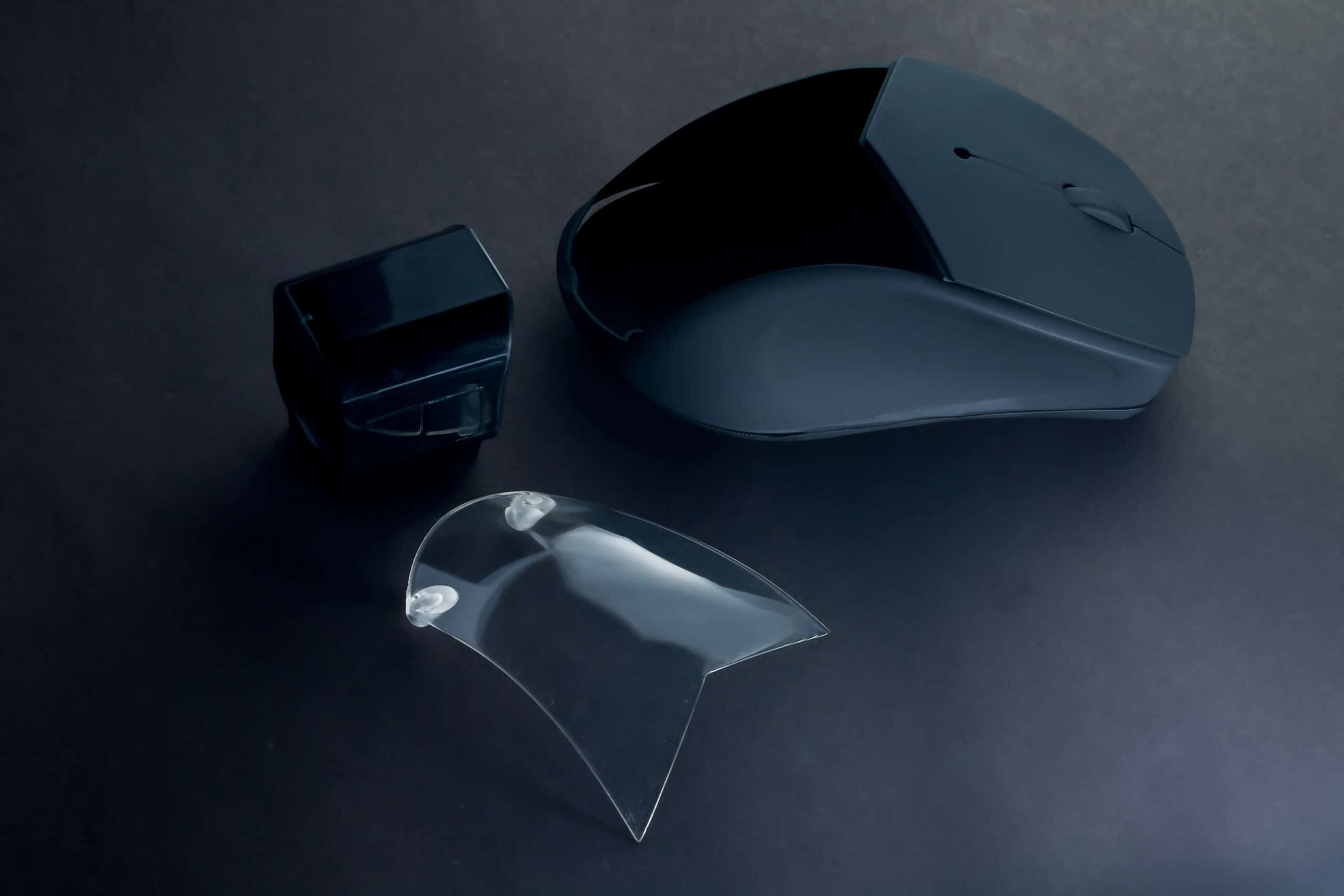
While at first glance the AirPoint Mouse might look like a standard wireless mouse, there's a secret housed in its clear center cavity. Docked inside is the magical heart that makes it all possible - the AirPoint ring.

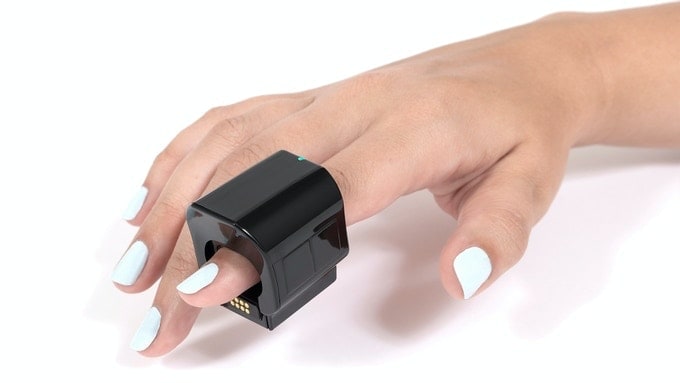
Originally released in 2021, the AirPoint Ring is a finger-wearable cursor controller aimed at public speakers and business professionals. Slip it on your index finger and you'll be able to control the cursor by pointing your finger in 3D space along with swipes, taps and other features.
Magnima, the brand behind AirPoint, has launched a new Kickstarter campaign to add a base that converts the Ring into a traditional mouse. This helps the Ring work with more applications and a wider user-base.
More than just a pointer
When worn in "Air Mouse" mode the device is capable of much more than simply advancing PowerPoint slides. Four touchpads make it possible to left and right click, scroll, drag and drop and anything else a regular mouse can do.

When combined with Magnima's AirPoint app, users can unlock enhanced features like a magnifier, spotlight mode and more.
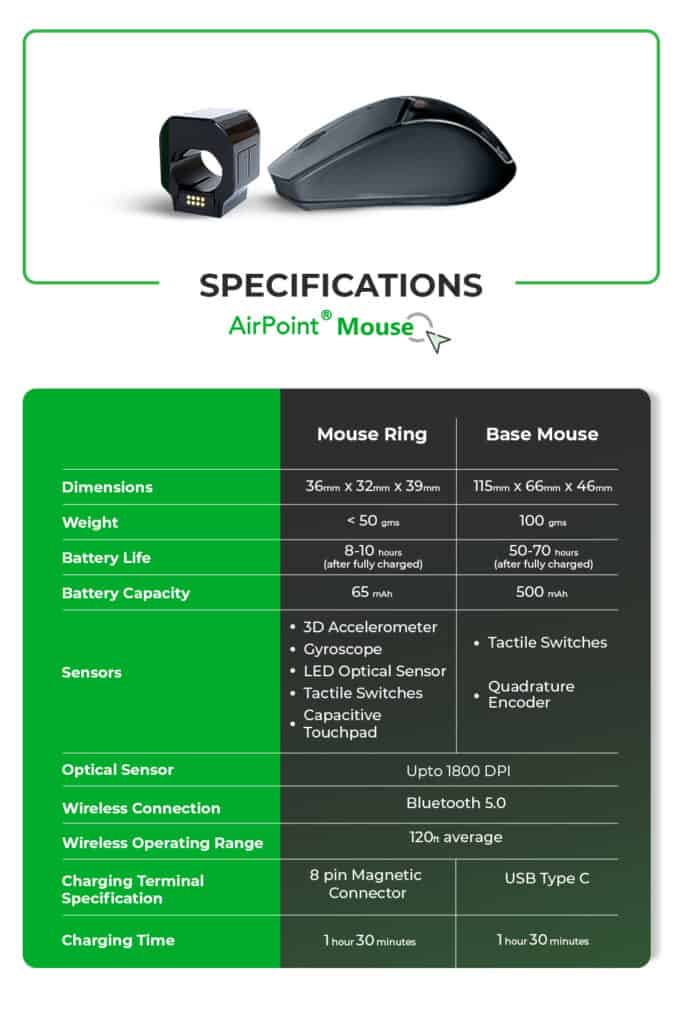
The AirPoint Mouse's range of an astonishing 120ft means wearers are free to move around as they browse too. If you're worried about the Ring flying off during a particularly intense bout of scrolling, the device includes three adapters to fit a range of finger sizes.
Docking the Ring into the base transitions all the interface features to standard mouse controls. The familiar left/right buttons and scroll wheel are ideal when you need all your fingers for typing.
Their Kickstarter campaign states the AirPoint Mouse is compatible with the majority of modern devices including Windows and Mac plus iPad and Chromebooks.

How to order the AirPoint Mouse
Magnima's "launch offer" includes the AirPoint Ring, Base Mouse, charging cable and three adapters for $129. Higher pledges unlock larger quantities up to a 10 person business pack.
If fully funded, orders are estimated to deliver December 2022.